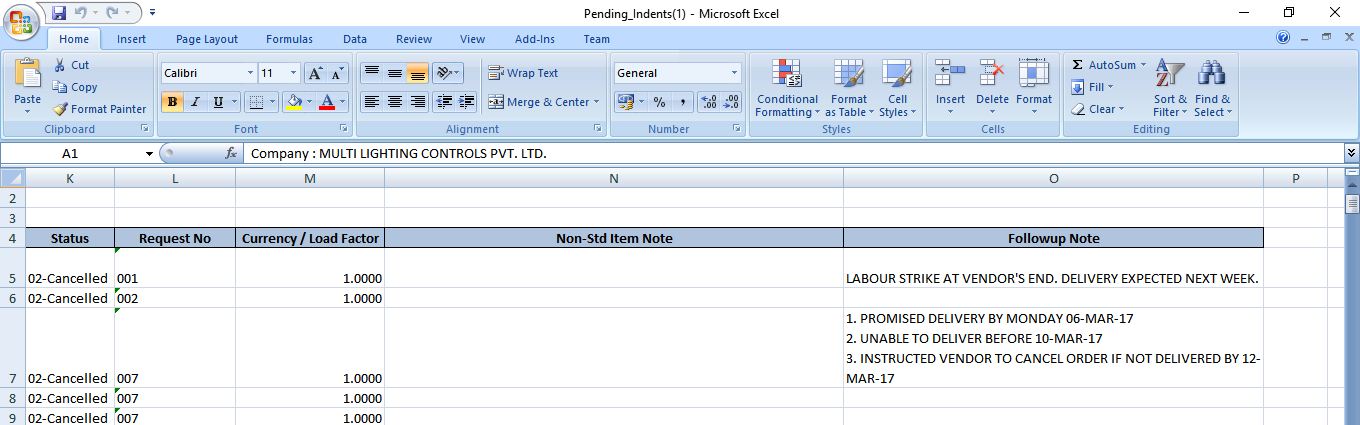
Pending Orders and Indents - Add Follow-up Note
Introduction
ERP One helps to add Follow-up Note in pending orders and indents.
Pending Orders
Navigate to - Sales > Sales Orders > Item Details
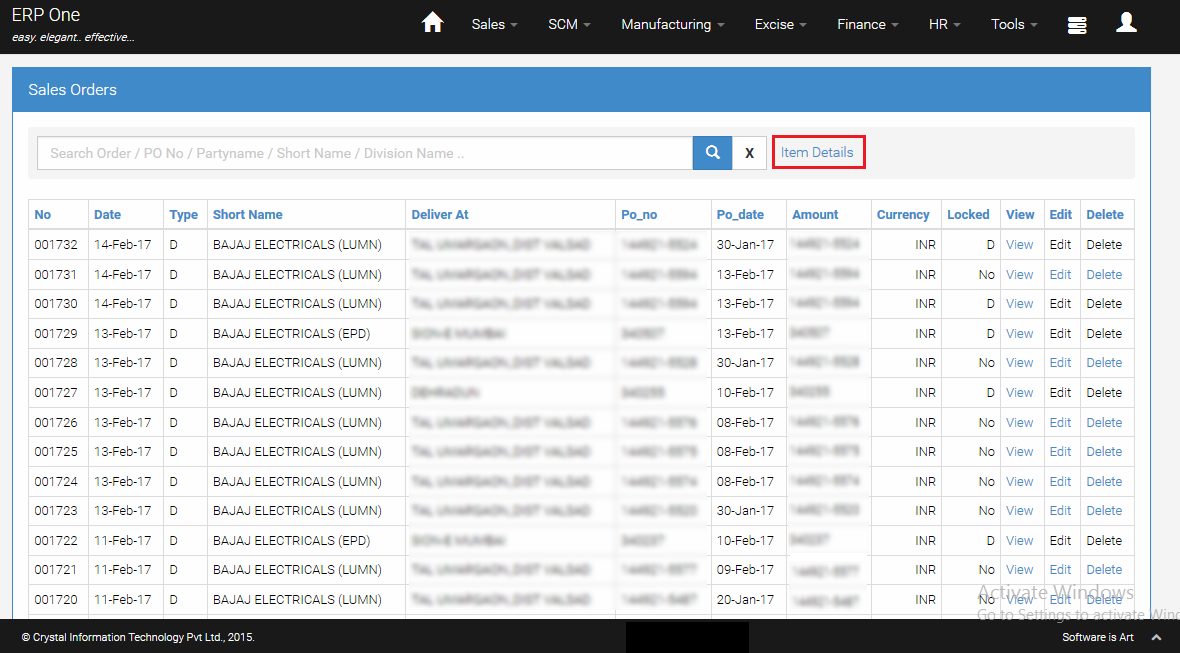
Sales Order - Item Details Grid
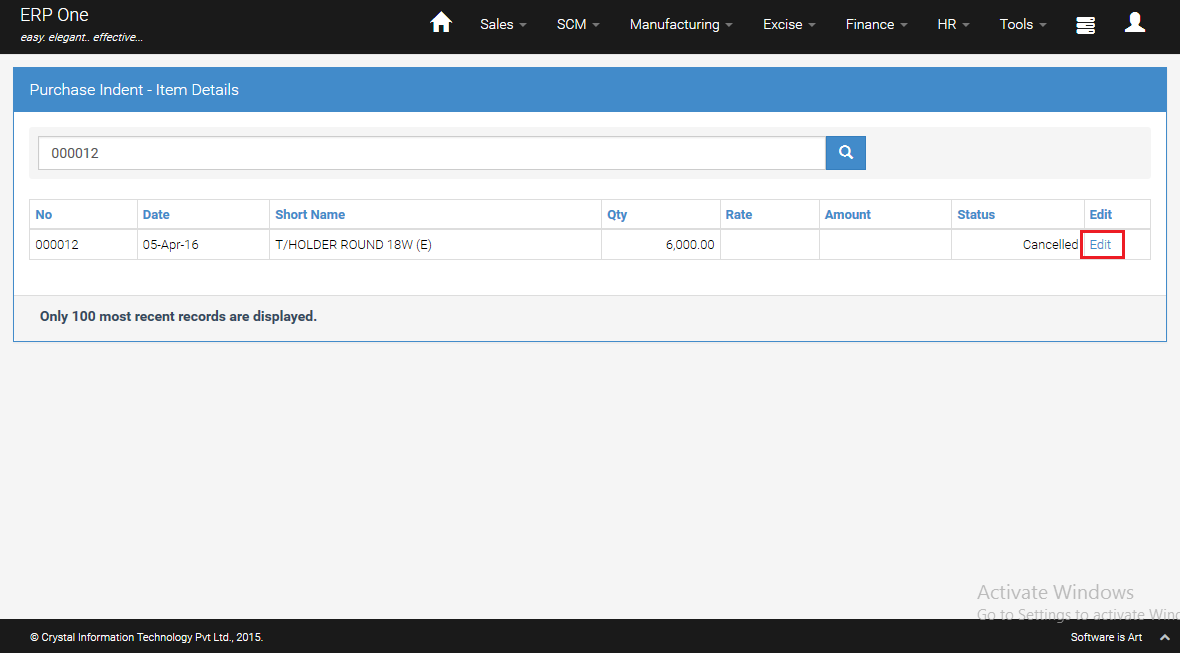
- Click [Edit] button to add Follow-up Note for particular order line.
Add Follow-up Note
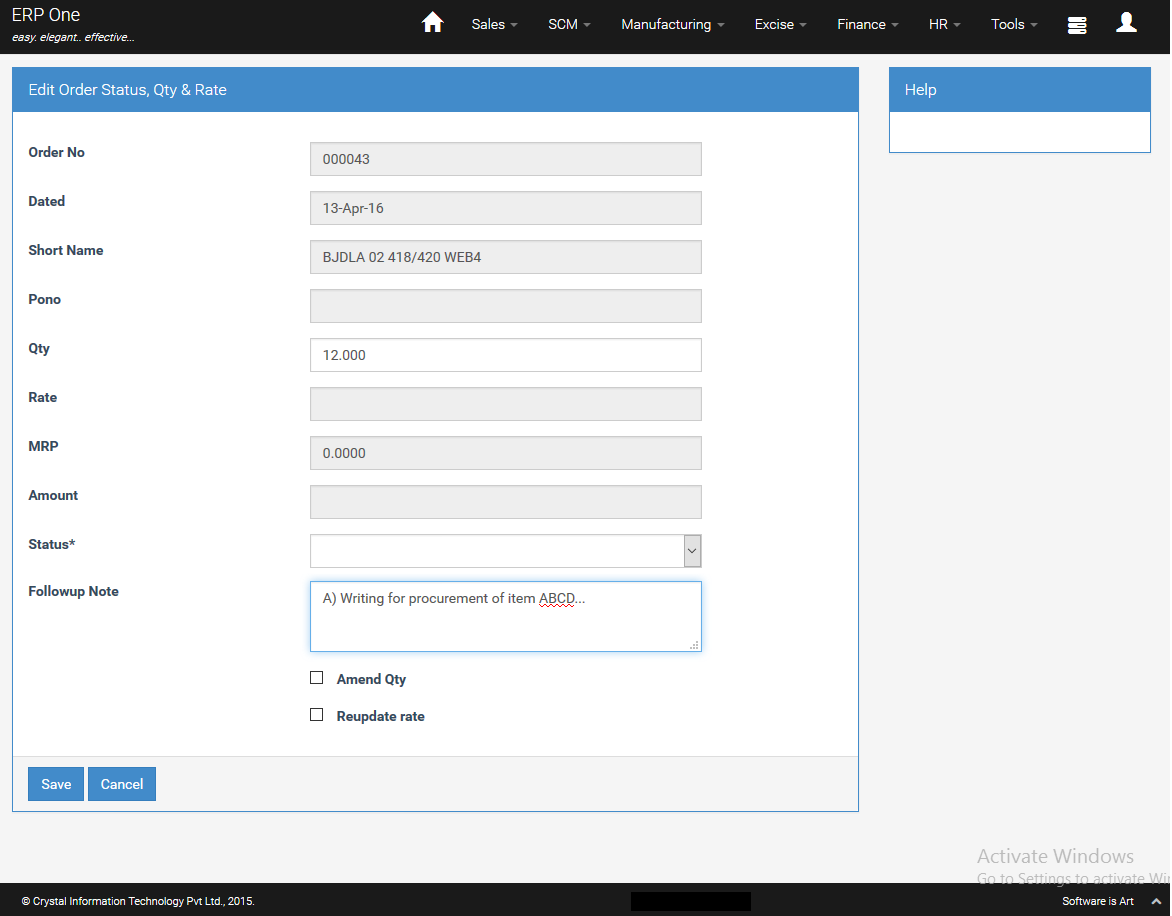
- Add the requisite Follow-up Note for the particular order line item.
- Click [Save].
Pending Orders Report
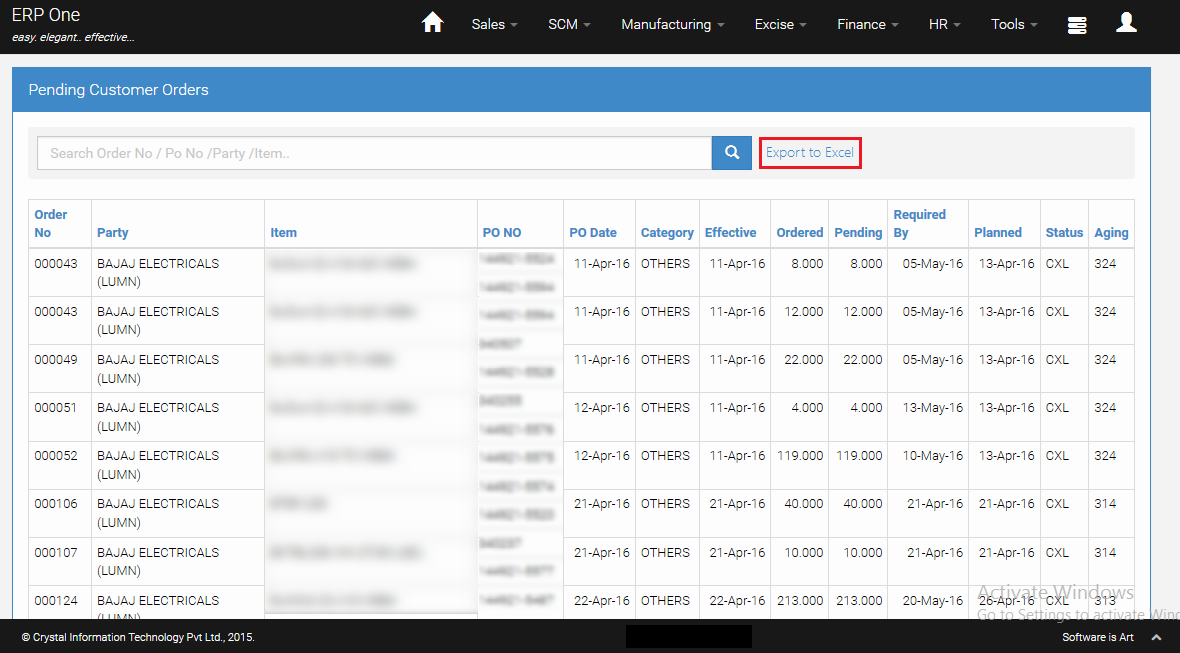
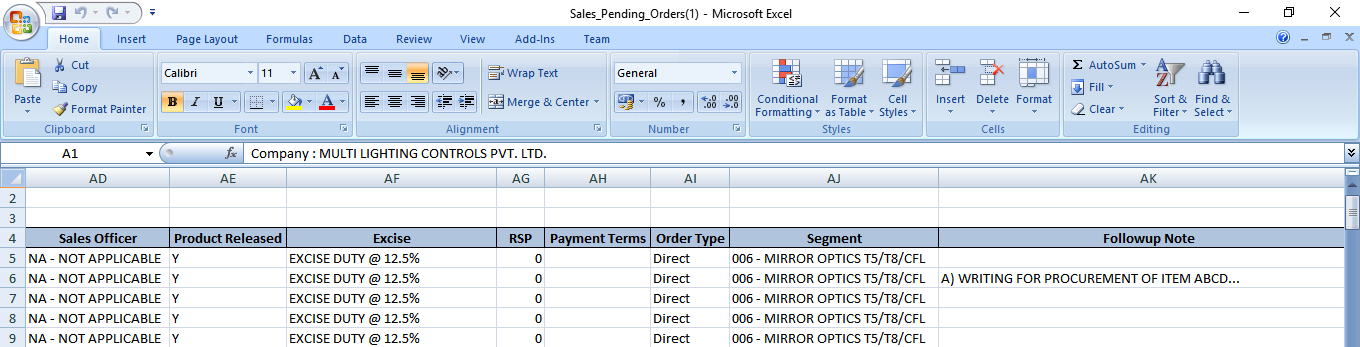
- When you print the Pending Orders Report, all your follow-up notes will show up in the Excel report one below the other.
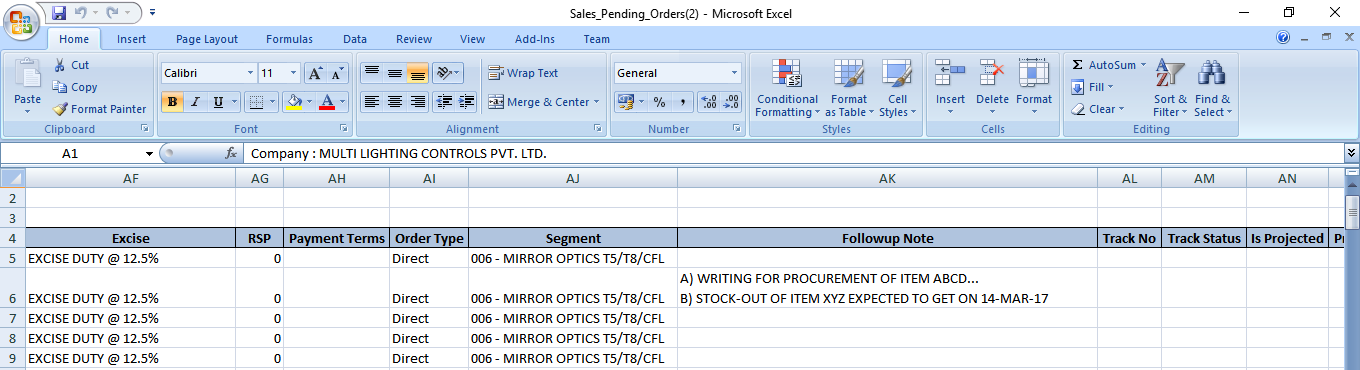
Adding More Follow-up Note
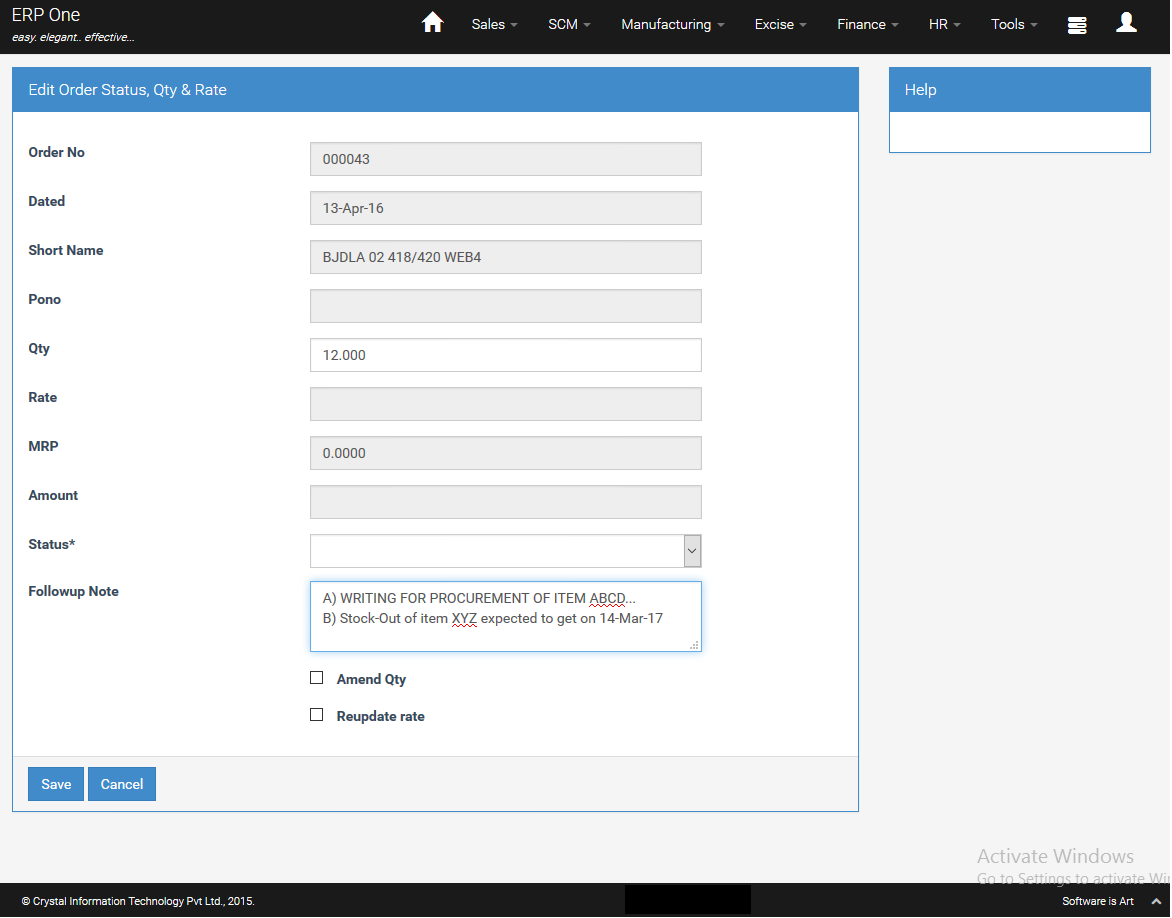
If you wish to preserve the earlier note, you may press [Enter] and key in additional note in the subsequent lines.
Pending Indents
Navigate to : SCM > Purchase Indents > Indent Item Details
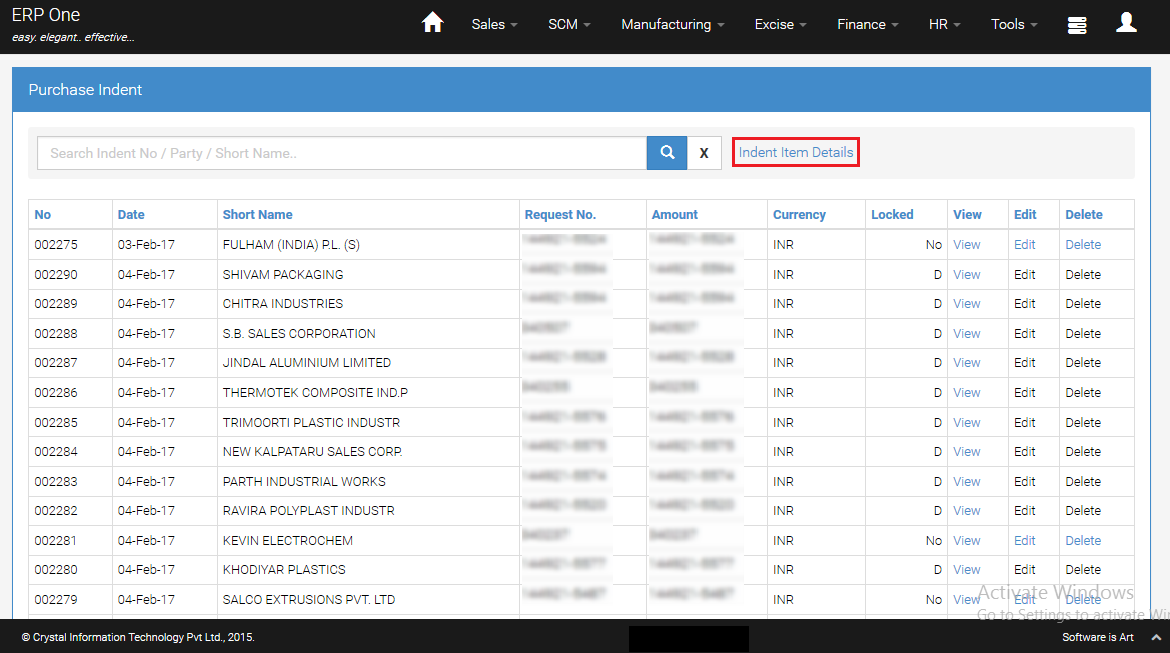
Purchase Indents - Item Details Grid
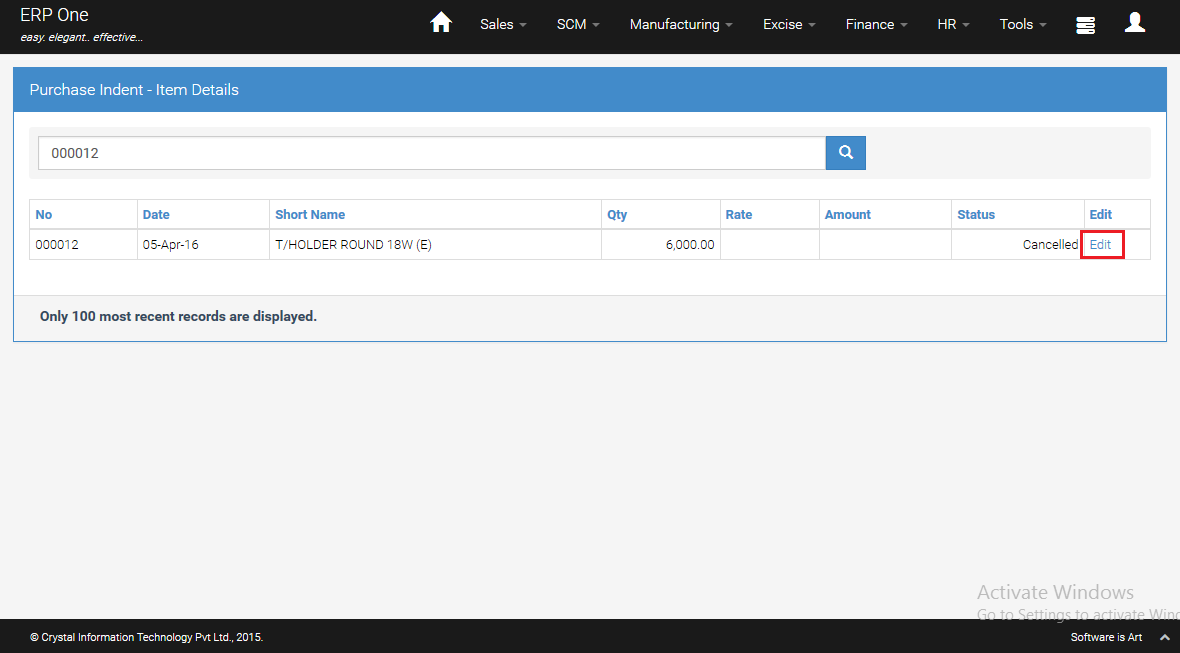
- Click [Edit] button to add Follow-up Note for particular indent line.
Add Follow-up Note
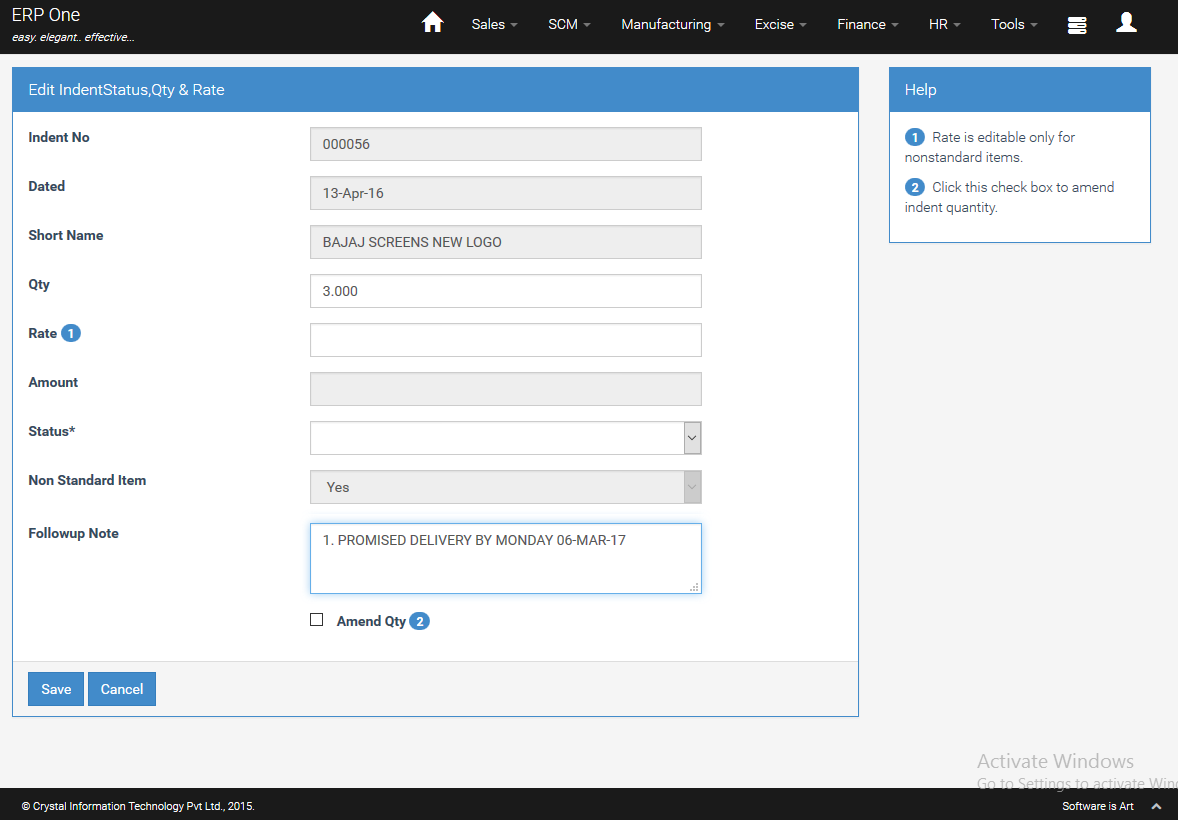
- Add the requisite Follow-up Note for the particular indent line item.
- Click [Save].
Pending Indent Report
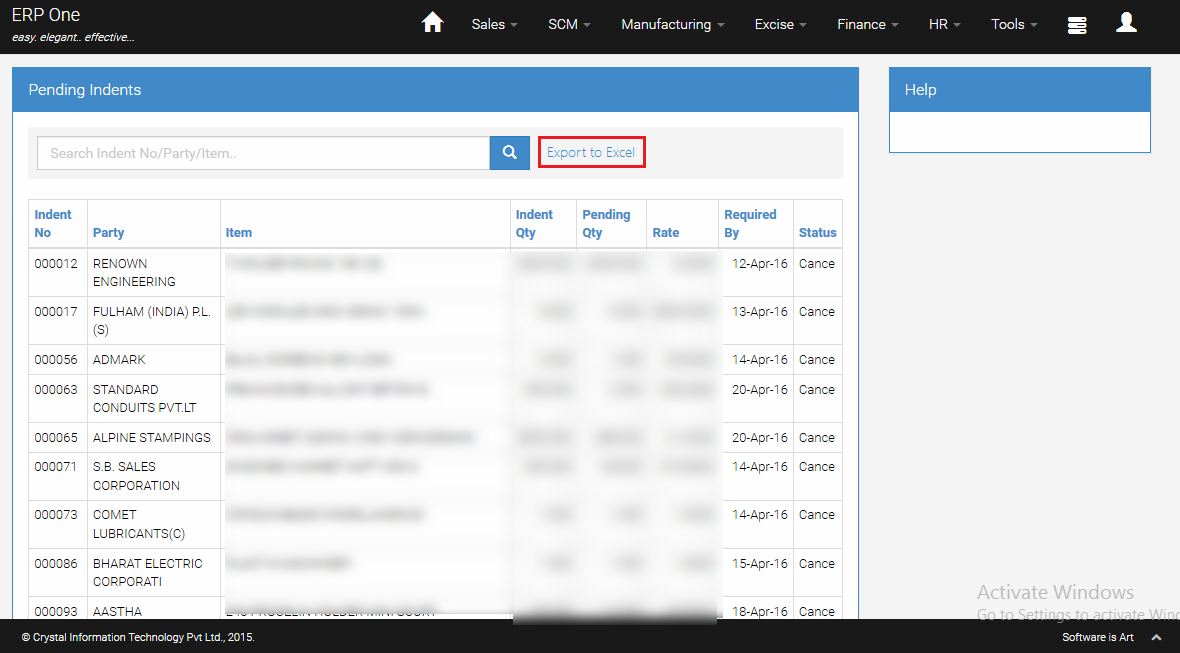
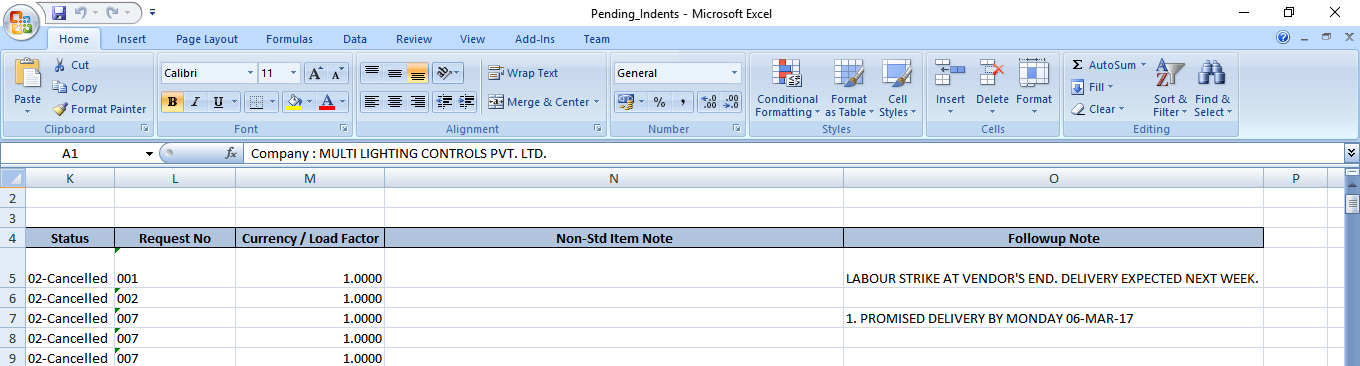
- When you print the Pending Indent Report, all your follow-up notes will show up in the Excel report one below the other.
Adding More Follow-up Note
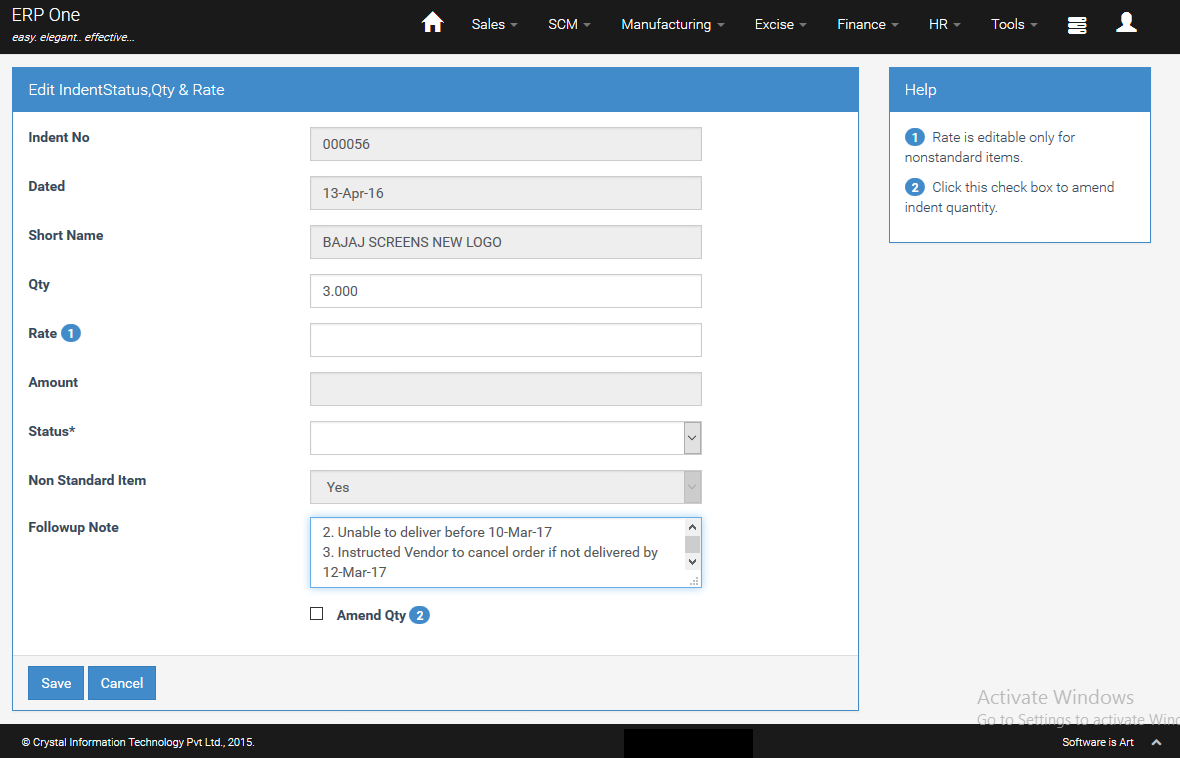
If you wish to preserve the earlier note, you may press [Enter] and key in additional note in the subsequent lines.