Job Work
Introduction
- This post walks you through how to create/manage Job Work details.
Job Work Grid
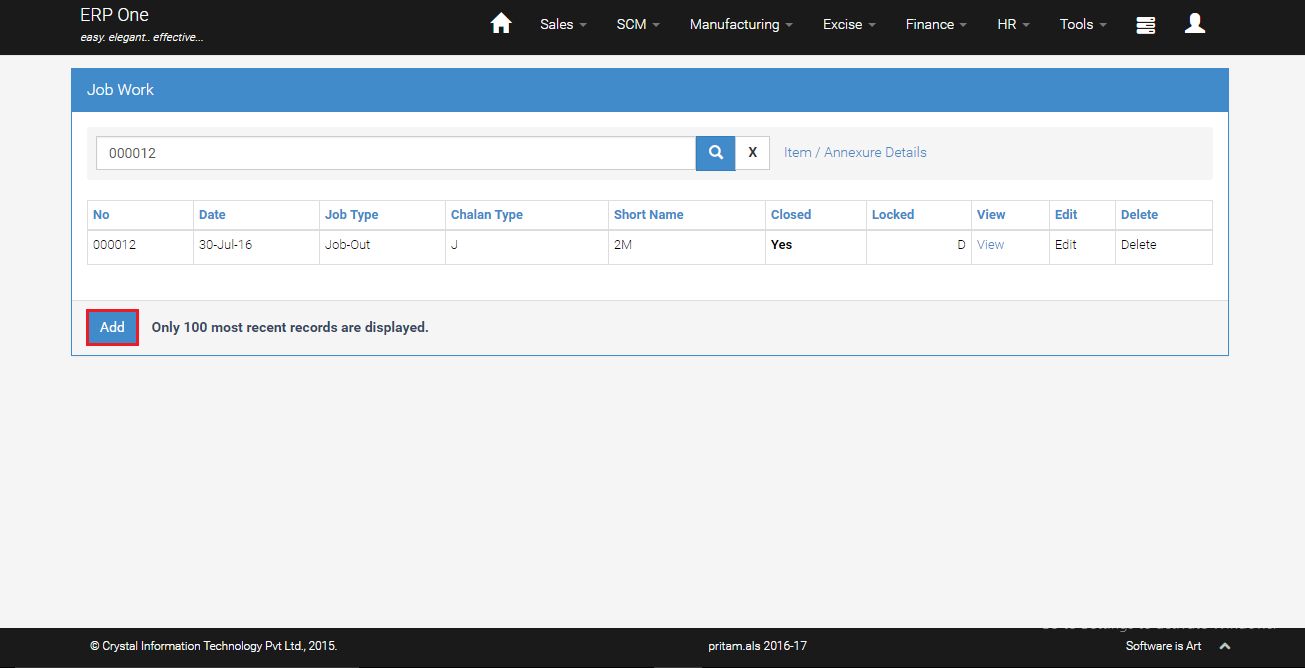
- From Menu, select [SCM]>>[Job Work].
- Job work grid show the list of existing job work.
- To create new Job work, click [Add].
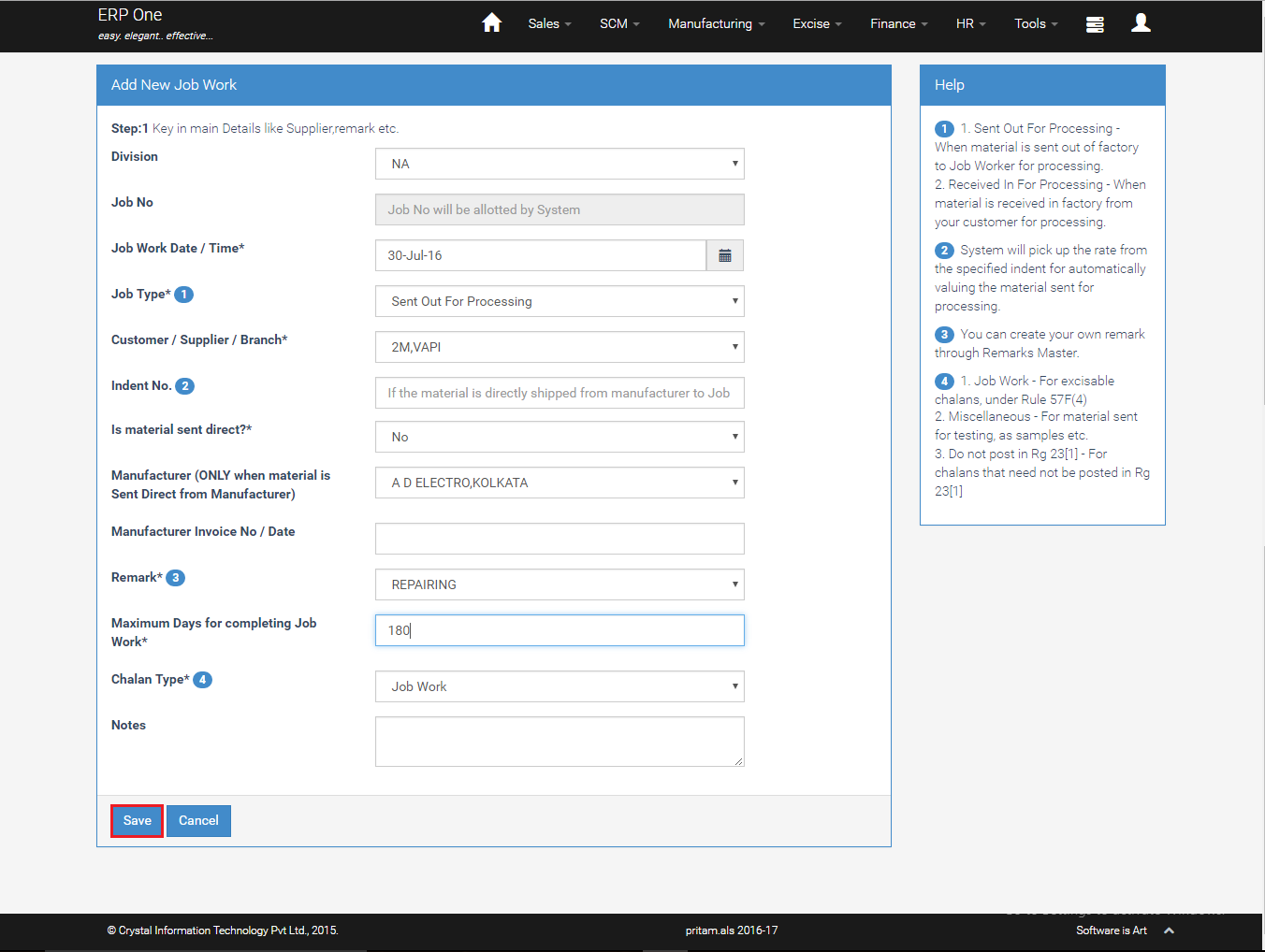
Add Job Work
- Select Job Type, Customer, Manufacturer, remark and chalan type etc.
- Various Job types are explained on the side panel.
- Key in date, maximum days for completing job work and click [Save].
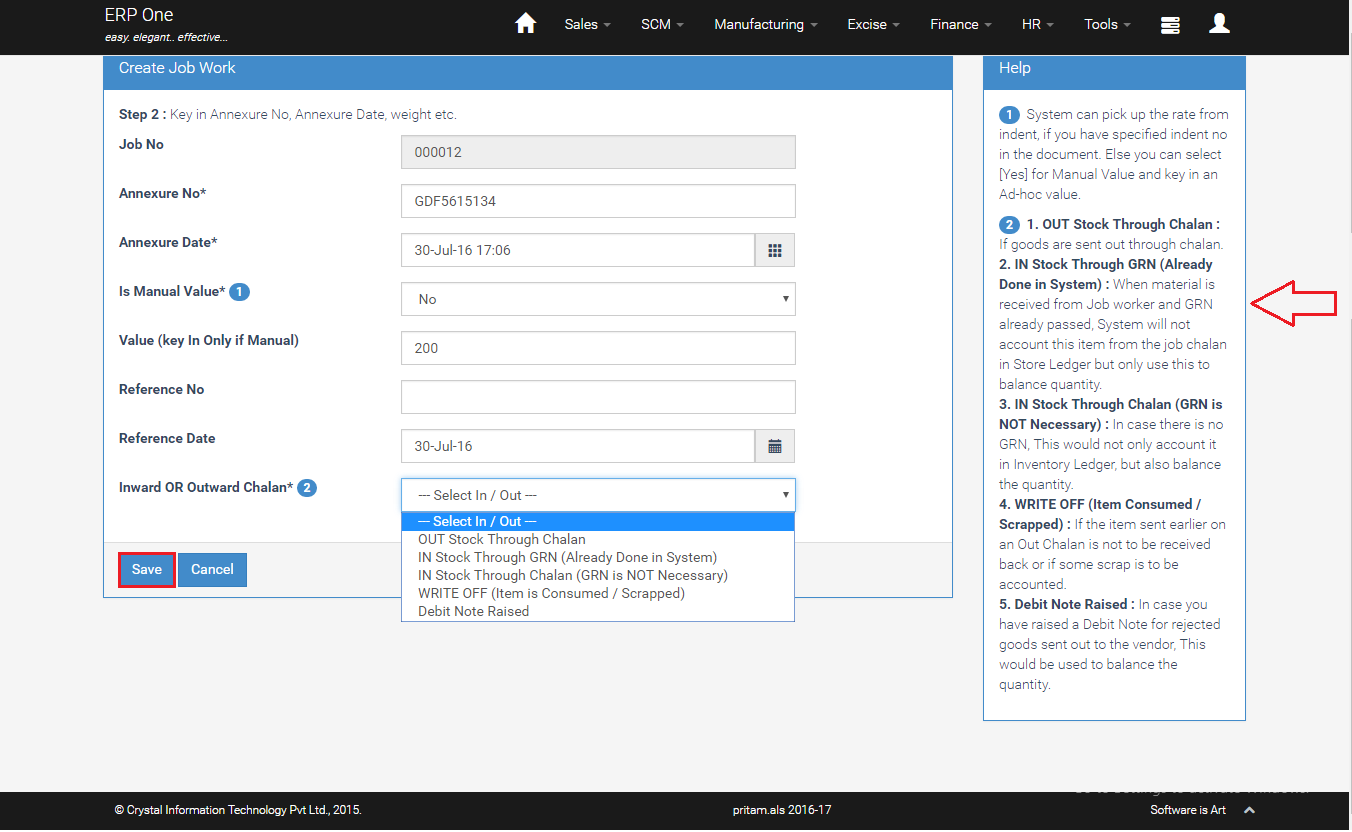
Job Work Line Add
- Key in annexure no, value (if manual) etc.
- Select date and inward/outward chalan etc.
- Please see the instructions about various options on the side panel.
- Click [Save]
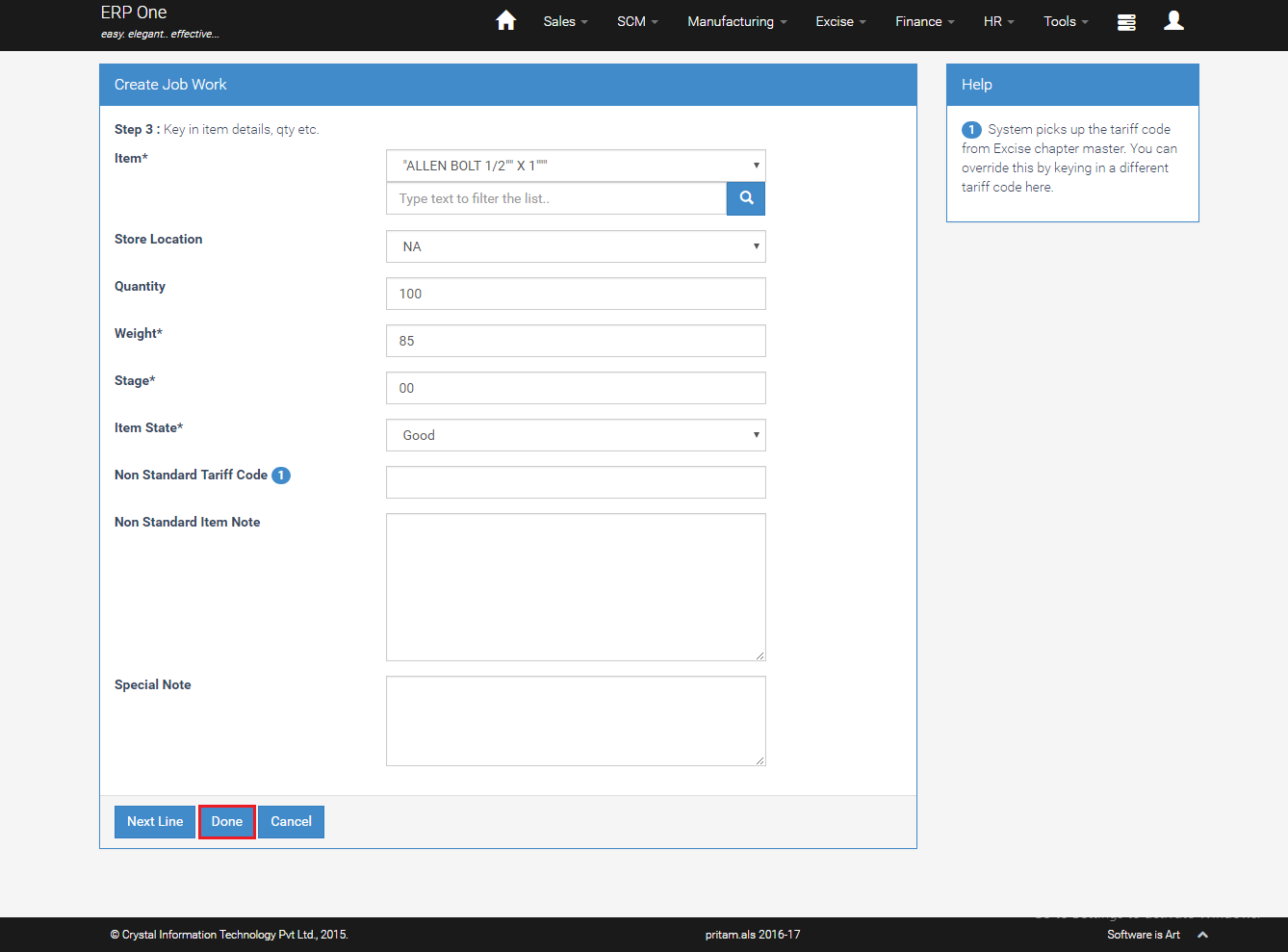
Job Work Item Details
- Select Item and store location etc.
- key in quantity, weight and click [Done].
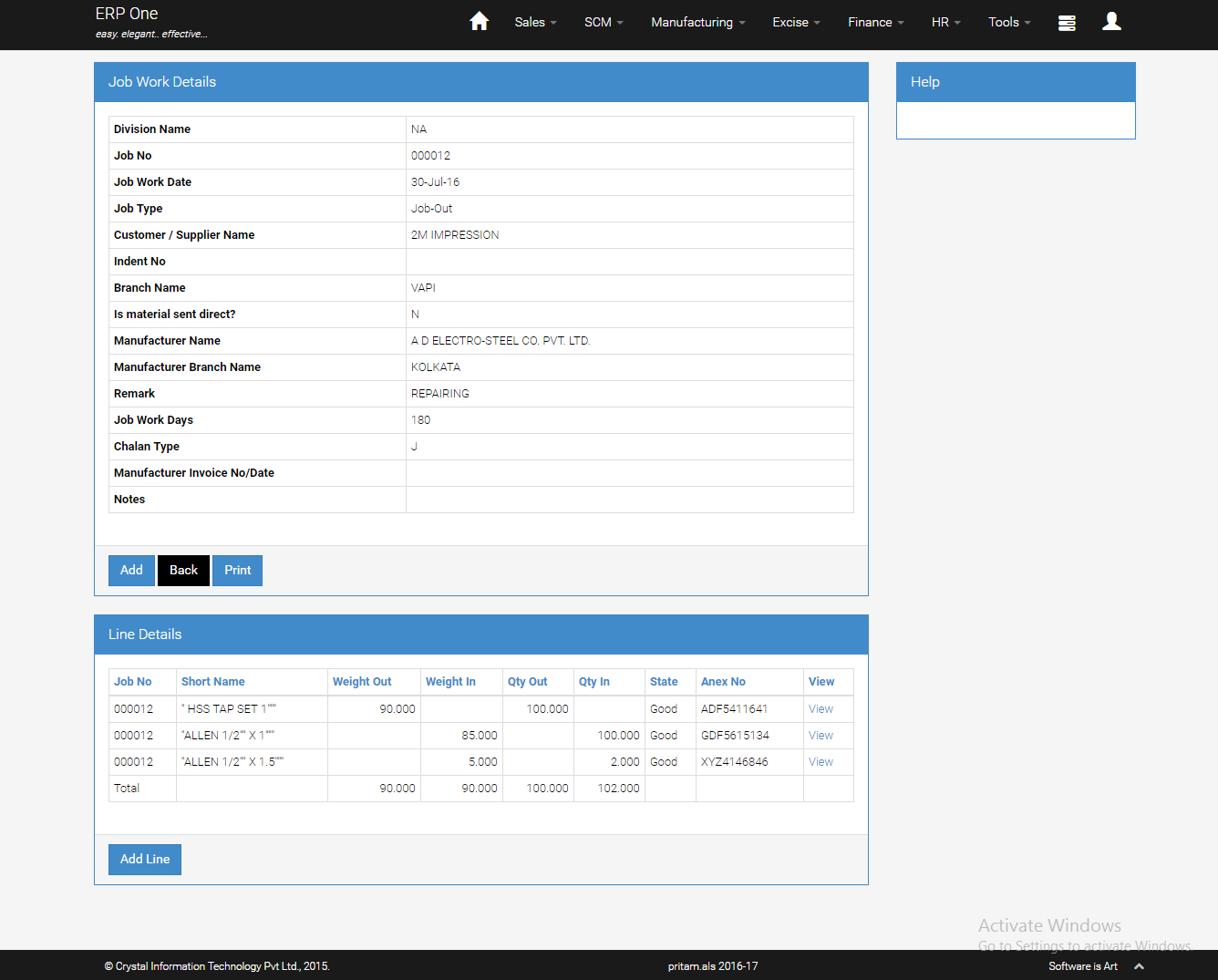
Job Work View
- Click [View] from Job work grid to view details.
Job Work Report
- From Menu, select [SCM]>>[Job Analysis].
- Select report type, date range etc and click [Submit].
- System generates job work report in excel.

Closing Job Work
- System automatically closes a Job when:
- Total Weight Out = Total Weight In
- If Weights are zero, Total Qty Out = Total Qty In